name: python_tests
run-name: Run python tests

on:
  push:
    branches: [main]
  workflow_dispatch:

jobs:
  tests:
    runs-on: ${{ matrix.os }}
    strategy:
      fail-fast: false
      matrix:
        include:
          - os: ubuntu-latest
            python-version: '3.11'
          - os: ubuntu-latest
            python-version: '3.12'
          - os: windows-latest
            python-version: '3.12'
          - os: macos-latest
            python-version: '3.12'

    steps:
      - name: Check out repository
        uses: actions/checkout@v4

      - name: Install python and dependencies
        uses: actions/setup-python@v4
        with:
          python-version: ${{ matrix.python-version }}
          cache: 'pip'

      - name: Install requirements (Windows)
        if: runner.os == 'Windows'
        run: python -m pip install -r requirements-test.txt

      - name: Install requirements (Unix)
        if: runner.os != 'Windows'
        run: pip install -r requirements-test.txt

      - name: Run tests
run: pytest examples/python_packageRunning tests via GitHub actions
Choose your language:
As mentioned on the page When and why to run tests?, you should run tests regularly after any code or data changes, as catching errors earlier makes them easier to fix. This practice of re-running tests is called regression testing, and it ensures recent changes haven’t introduced errors.
GitHub Actions can be a great tool to support this.
GitHub Actions
GitHub is widely used for hosting research code and managing version control. We have a tutorial on setting up a repository if you are new to GitHUb.
GitHub Actions is a built-in automation system that runs workflows directly in your repository. You can access it from the Actions tab on your GitHub repository page:
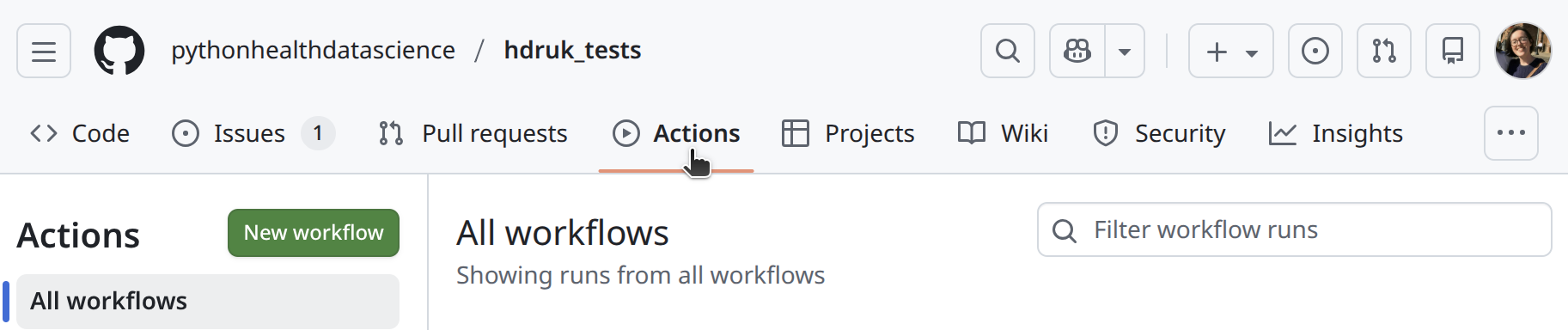
Workflows are defined using YAML files stored in .github/workflows/ in your repository. Each workflow can be triggered by one or more events, with common triggers including:
push: run tests on every push to a branch.push: branches: ["main"]: run tests on every push to themainbranch.pull_request: run tests when a pull request is opened or updated.workflow_dispatch: allows manual runs from the “Actions” tab.
Workflow to run tests
This workflow will run the tests from our case study via GitHub actions. We explain it step-by-step below.
Explaining the workflow
name: python_tests
run-name: Run python tests
The beginning of the YAML sets the workflow’s name and how it appears in the Actions tab.
nameis the internal name of the workflow file.run-nameis what is displayed when a run appears in the Actions history.
on:
  push:
    branches: [main]
  workflow_dispatch:
Next, we define when the workflow is triggered. Here we have chosen:
push: automatically run on pushes to themainbranch.workflow_dispatch: allows you to trigger the workflow manually from the GitHub actions interface (note: it only becomes available after first having been pushed to main).
jobs:
  tests:
    runs-on: ${{ matrix.os }}
    strategy:
      fail-fast: false
      matrix:
        include:
          - os: ubuntu-latest
            python-version: '3.11'
          - os: ubuntu-latest
            python-version: '3.12'
          - os: windows-latest
            python-version: '3.12'
          - os: macos-latest
            python-version: '3.12'
Now we start to define the job that runs our tests. We are using matrix testing as this allows us to check our code across multiple operating systems and Python versions. In this case the tests will run on:
- Python 3.11 (Linux)
- Python 3.12 (Linux, Windows, macOS)
This is good as it allows you to spot any bugs/run issues related to specific operating systems or python versions. They will run in parallel, ensuring a single efficient workflow.
    steps:
      - name: Check out repository
        uses: actions/checkout@v4
Now we start defining the steps executed within our test job. The first step is typically to check out your repository, so the workflow can access your code.
      - name: Install python and dependencies
        uses: actions/setup-python@v4
        with:
          python-version: ${{ matrix.python-version }}
          cache: 'pip'
Next we install the version of Python specified in the matrix and enable pip caching to speed up future runs.
      - name: Install requirements (Windows)
        if: runner.os == 'Windows'
        run: python -m pip install -r requirements-test.txt

      - name: Install requirements (Unix)
        if: runner.os != 'Windows'
        run: pip install -r requirements-test.txt
Depending on the operating system, the command syntax for installing dependencies differs slightly. We use requirements-test.txt instead of environment.yaml as we want to use different Python versions. To reduce runtime, our requirements file only contains packages needed for running tests (e.g., excludes our linting packages).
NoteSee
requirements-test.txt
numpy==2.4.1
pandas==2.3.3
pip==25.3
pytest==9.0.2
pytest-cov==7.0.0
scipy==1.17.0
-e examples/python_package/.
- name: Run tests
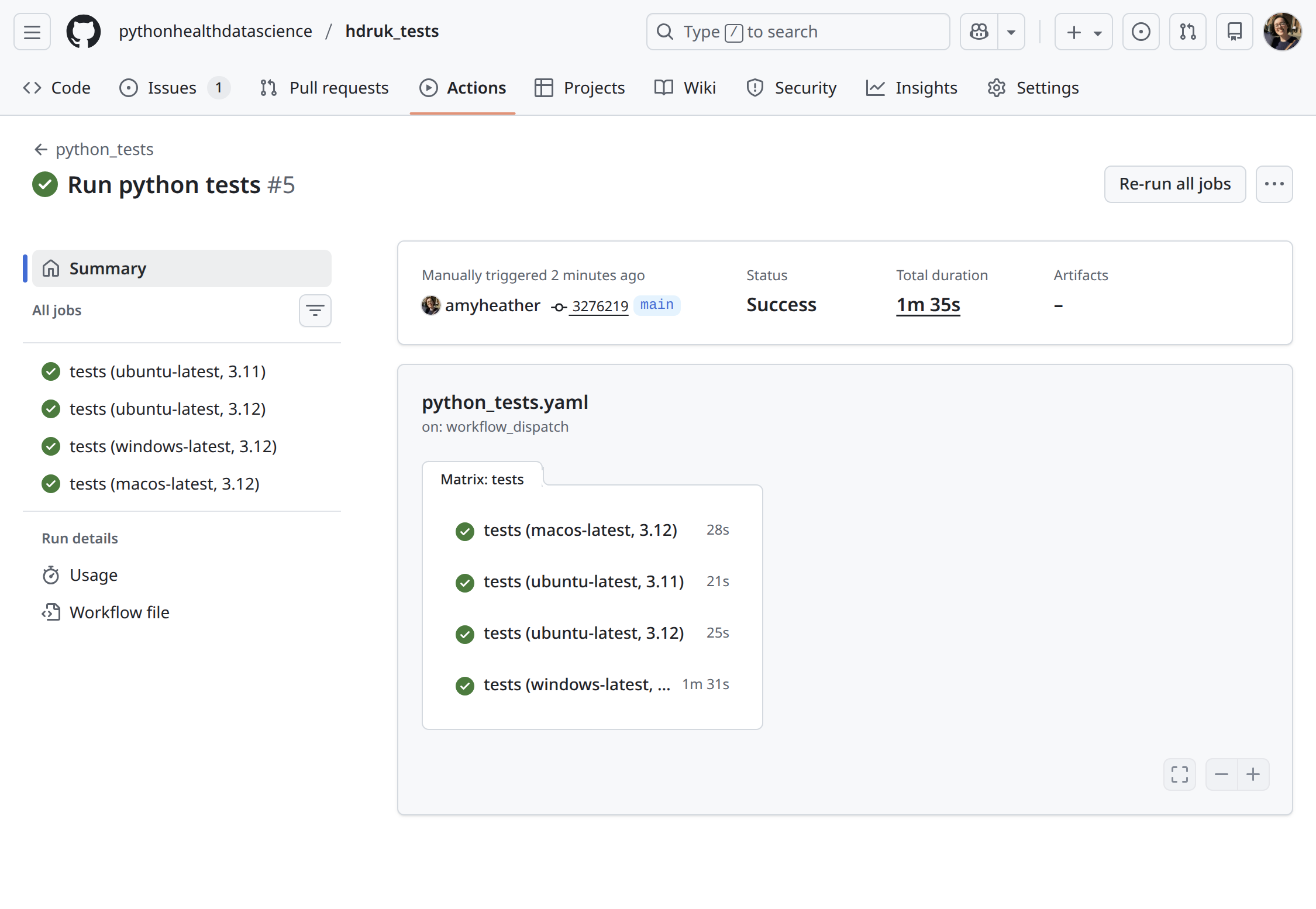
run: pytest examples/python_packageFinally, we run the tests! We call pytest on our case study (examples/python_package/). If all tests pass, you’ll see green ticks for each environment - confirming that your code works consistently across Python versions and operating systems.
There are lots of ways to set up a testing action, depending on how your research is structured, and whether you are using an renv, and so on.
If your work is structured as a package, you can call:
usethis::use_github_action()It will prompt you to choose which action you would like:
> usethis::use_github_action()
Which action do you want to add? (0 to exit)
(See <https://github.com/r-lib/actions/tree/v2/examples> for other options)

1: check-standard: Run `R CMD check` on Linux, macOS, and Windows
2: test-coverage: Compute test coverage and report to https://about.codecov.io

Selection:
However, for this tutorial, we will show an example where dependencies are restored from an renv and the tests are run via devtools::test(), running on ubuntu and specific version of R.
However, you can do multiple operating systems! (Just see Python tutorial for how!)
name: r_tests
run-name: Run R tests

on:
  push:
    branches: [main]
  workflow_dispatch:

jobs:
  tests:
    runs-on: ubuntu-latest

    env:
      RENV_CONFIG_PAK_ENABLED: true

    steps:
      - uses: actions/checkout@v4

      - name: Set up R
        uses: r-lib/actions/setup-r@v2
        with:
          use-public-rspm: true
          r-version: 4.4.1

      - name: Restore renv from root
        run: |
          Rscript -e 'renv::restore(project = ".")'

      - name: Run testthat tests
        run: |
          Rscript -e 'renv::activate(); devtools::load_all("examples/r_package"); testthat::test_dir("examples/r_package/tests/testthat")'
Explaining the workflow
name: r_tests
run-name: Run R tests
The beginning of the YAML sets the workflow’s name and how it appears in the Actions tab.
nameis the internal name of the workflow file.run-nameis what is displayed when a run appears in the Actions history.
on:
  push:
    branches: [main]
  workflow_dispatch:
Next, we define when the workflow is triggered. Here we have chosen:
push: automatically run on pushes to themainbranch.workflow_dispatch: allows you to trigger the workflow manually from the GitHub actions interface (note: it only becomes available after first having been pushed to main).
jobs:
  tests:
    runs-on: ubuntu-latest

    env:
      RENV_CONFIG_PAK_ENABLED: true
Now we define the tests job. We specify an operating system (ubuntu-latest) and set RENV_CONFIG_PAK_ENABLED to true as it allows renv to use pak for faster, more reliable dependency installation where possible.
    steps:
      - uses: actions/checkout@v4
The first step checks out the repository so the workflow has access to the code.
      - name: Set up R
        uses: r-lib/actions/setup-r@v2
        with:
          use-public-rspm: true
          r-version: 4.4.1

      - name: Restore renv from root
        run: |
          Rscript -e 'renv::restore(project = ".")'
This step installs and configures R on the runner. The r-version is pinned to 4.4.1 here, with a specific renv then restored - but you could also run on latest versions.
      - name: Run testthat tests
        run: |
          Rscript -e 'renv::activate()'
          Rscript -e 'devtools::load_all("examples/r_package")'
          Rscript -e 'testthat::test_dir("examples/r_package/tests/testthat")'
Finally, the R tests are run. In this example, the research is structured as a package and in a subdirectory examples/r_package, so we load that with devtools before running the tests.
See GitHub actions, in action!
The video below demonstrates this workflow running in GitHub Actions. For the demo, the workflow is triggered manually using workflow_dispatch, but it would also run automatically whenever you push changes to main. In the video you’ll see we:
- Open the GitHub repository.
- Go to the Actions tab.
- Click on the python_tests action.
- View the workflow YAML.
- Trigger the action via
workflow_dispatch. - View the running test - see they are installing the requirements, running tests, and pass.
The tests all pass in the end-
- Open the GitHub repository.
- Go to the Actions tab.
- Click on the r_tests action.
- View the workflow YAML.
- Trigger the action via
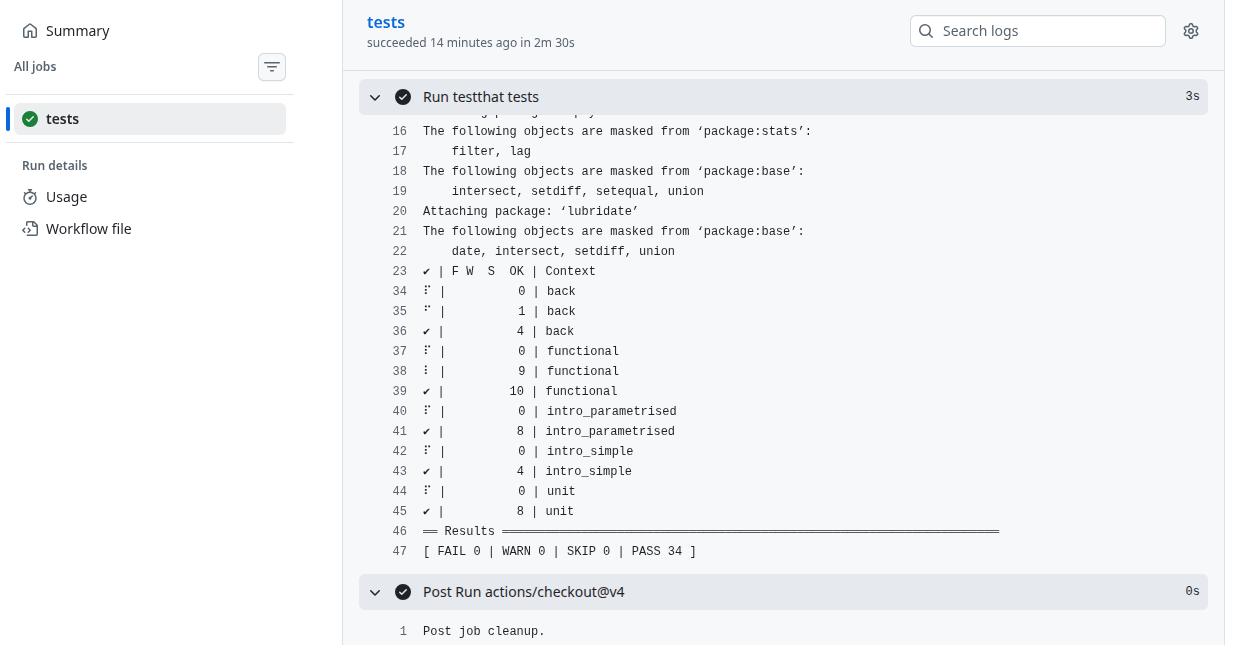
workflow_dispatch, running it from thedevbranch. - View the running test - see they are installing the packages, getting ready to run tests.
The tests all pass in the end-