Why make a website for your research?
This workshop
In this workshop, we’re going to teach you how to use Quarto to create websites.
But first, why would you want to?
There are many ways researchers use Quarto websites…
Ways researchers use Quarto websites
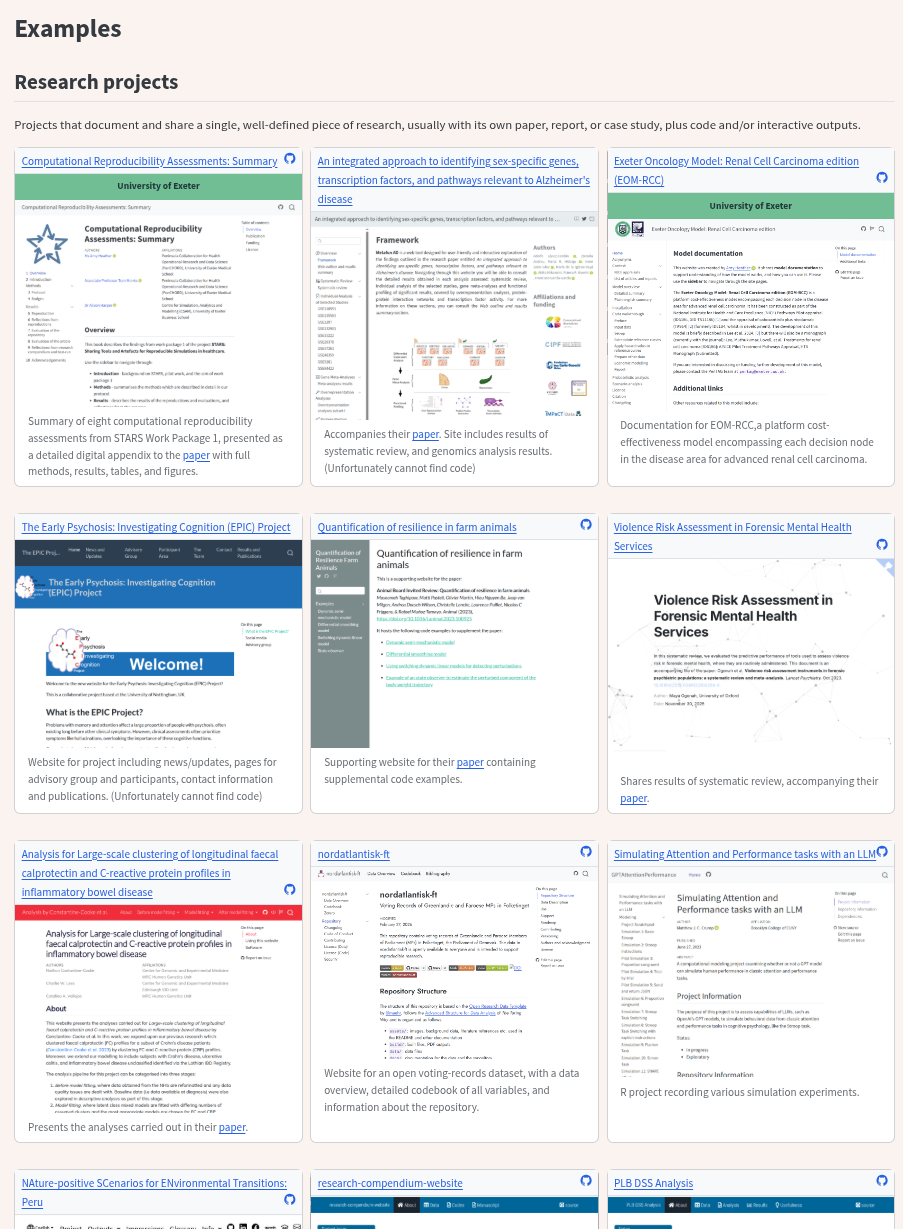
- Research projects
- Programme or team homepage
- Training, modules, and courses
- Researcher profiles
- Manuscripts
- Conferences and events
- Package documentation
1. Research projects
Research tends to accumulate across many different places:
- Word documents, PDFs, data files
- Presentations and emails
- Code repositories
Hard for collaborators to find things, and nearly impossible for anyone outside the project to navigate. Much of it stays hidden.
1. Research projects
A Quarto website brings everything together in one place that anyone can visit.
Relevant to any kind of research (qualitative or quantitative).
A project website might include:
- An overview of the study and its aims
- Relevant documents, reports, and materials
- Embedded videos, presentations, and visualisations
- Notes, updates, or a log of progress
1. Research projects
Can accompany a journal paper as a richer alternative to a standard appendix:
- Searchable
- Mixed media
- Openly accessible to anyone
Or serve as a research compendium (everything in one place, properly organised).
If your research involves code (Python, R, etc.), you can run code directly within the site, display outputs automatically, and embed interactive figures.
2. Programme or team homepage
If you lead a group, collaborate across institutions, or are part of a larger programme, a Quarto website can be the public-facing home for everything you do.
- An overview of the programme’s aims and funding
- Profiles of team members
- A list of outputs: papers, datasets, tools, presentations
- News or blog posts about recent developments
- Links to resources for collaborators or the public
3. Training, modules, and courses
Quarto is widely used for teaching materials.
Course notes, worked examples, exercises, and slide decks can all live together on one structured, searchable site.
- Open to anyone
- Easy to update
- Version controlled - you always know what changed and when
4. Researcher profiles
Create a personal academic website that goes far beyond a LinkedIn profile or institutional staff page, and moves with you if you change institutions.
- Present your work exactly as you want to
- Biography, research interests, publications, teaching
- Links to ORCID, Google Scholar, GitHub, and more
- A blog - share updates, write about your work, post short pieces between papers
5. Manuscripts
Quarto has a dedicated manuscripts format for scholarly articles.
Write your paper in Quarto and output it as a website, a PDF, or a Word document - all from the same source file.
Note
This won’t be relevant to everyone. But for research involving data analysis, embedding code means your figures and results are always generated directly from the analysis — nothing can go out of sync.
6. Conferences and events
If you are hosting an event (e.g., a workshop, symposium, summer school, or conference), Quarto works well here too.
- Publish the programme, abstracts, and speaker information before the event
- Add slides, recordings, and notes afterwards
- Multiple organisers can contribute via the repository
- Easy to update as the event approaches and after it ends
7. Package documentation
If you develop a software package in Python, R, or another language, Quarto is a great way to write its documentation.
Installation instructions, usage guides, tutorials, and examples, all in one navigable site.
Next steps
The rest of this tutorial will walk you through how to create a Quarto website from scratch — we’ll build one together.
At the end, head to the Examples page to see a much larger collection of real research websites built with Quarto, covering all of the categories above and more.